Best Sweepstakes Casino Apps for Android in 2026

Playing sweepstakes casino on Android devices is a bit more difficult, compared to iOS. The casinos perform equally good, but Google Play’s gambling-related restrictions led to alternative methods of app and mobile play like APK files, PWAs and mobile browser play. That’s why I decided to test the best sweepstakes... Show more

The Best Android Sweepstakes Casino Apps Right Now

Filters
Payment
Games Type
Providers
Apps
States
1
High 5 Casino
High 5 Casino
Android access
License since 2012
4.7/5 Excellent
Welcome offer
700 GC, 55 SC + 400 Diamonds for $29.99
Google Play appAPK downloadMobile browser
Play now
2
McLuck
McLuck
Android access
License since 2023
4.5/5 Excellent
Welcome offer
7,500 GC + 2,5 SC
Google Play appAPK downloadMobile browser
Play now
3
PlayFame
PlayFame
Android access
License since 2024
4.7/5 Excellent
Welcome offer
7,500 GC + 2,5 SC
Google Play appAPK downloadMobile browserPWA
Play now
4
Chanced
Chanced
Android access
License since 2023
4.6/5 Excellent
Welcome offer
60 Free SC + 600k GC on First $19.99 Purchase
Google Play appMobile browserPWA
Play now
5
Hello Millions
Hello Millions
Android access
License since 2024
4.4/5 Very Good
Hello Millions Review
Welcome offer
15,000 GC + 2.5 SC
Google Play appMobile browser
Play now
6
NoLimitCoins
NoLimitCoins
Android access
License since 2021
4.3/5 Very Good
Welcome offer
100,000 GC + 300% Coins + Secret Gift
Google Play appMobile browser
Play now
7
Stake
Stake
Android access
License since 2022
4.8/5 Excellent
Welcome offer
250,000 GC + 25 SC
Google Play appAPK downloadMobile browserPWA

Play now

How We Evaluated Android Sweepstakes Casino Apps

Below you will see only Android casino recommendations tested on a real device, not a desktop browser or iPhone.

  • Device: I used Samsung Galaxy A54 running Android 14, which is a mid-range device, representing most of the real-world Android public.
  • Installation: I tested Google Play if there was a listed app there and the official APK or PWA for sideloading.
  • Load speed: This test shows how long each casino takes to load a playable game screen once you open the app.
  • Google Pay testing: I confirmed Google Pay availability in the payment tab and checked how long each checkout takes.
  • Game quality: I played at least five slot titles per casino in portrait mode and checked for touch responsiveness, animation and layout quality.
  • Feature completeness: I confirmed whether player can claim daily bonuses and reach cashier and redemption section on mobile without switching to desktop browsers.
  • PWA testing: If a PWA was available, I installed it via Chrome’s “Add to Home Screen” and compared it against APK or Play Store apps.

The most important thing to check was whether the redemption process worked on Android without the need of switching to desktop to finish the process. Some platforms that otherwise performed very well, failed this test and did not find a spot in my list of recommendations. You can learn all about the redemptions process in our mobile experience guide.

How Each Android Casino Performed During Our Testing

All reviews you will find below cover the Android sweepstakes experience, as I checked loading times and Google Pay behavior using a mid-range device and a stable network.

High 5 Casino – Strongest Game Library, PWA Over APK

high5casino-homepage

Installation Method

High 5 offers an APK file on the official website, while PWA can be installed on the home screen via Chrome. I tested both options and PWA performed slightly better on load speed and installation flow.

Load Speed on Android

  • PWA: 3.4 seconds
  • APK: 4.1 seconds

Google Play Availability

Google Pay is available on PWA and APK with fingerprint authentication that speeds up purchases and they take less than 2 seconds.

Game Quality on Android

High 5 has the best slot library on this list. All animations maintained consistent full frame rate on every title I tested, including some bonus sequences that are visually heavy and fail on other platforms. Portrait mode play looks excellent on a 6.4-inch screen with no layout overflow or cut-off elements to spoil the experience.

Feature Completeness

No features were missing on Android with daily bonuses, cashier and redemption accessible on the phone with even faster payment process, thanks to the quick Google Pay biometric authentication.

One Honest Note

The APK app was slightly slower than the web version, so if you want faster performance, stick to PWA, where you don’t need to deal with manual updates and installation.

High 5 Casino full review

McLuck Casino – Best Google Pay Integration on Android

mcluck-homepage

Installation Method

McLuck has no official Google Play listing, so the APK file must be downloaded from the official domain. Installation was quick with no unusual permissions requested.

Load Speed on Android

The app launched and started my first game in less than 4 seconds consistently across my testing sessions.

Google Play Availability

McLuck had the best Google Play checkout experience across all platforms I tested. I tapped the Google Pay icon, authenticated with a fingerprint and SC credited in under three seconds. There were no redirects or extra confirmation screens.

Game Quality on Android

McLuck maintained a solid frame rate during testing and the portrait layout is clean with well-sized touch controls. I saw no stutter during bonus sequences in testing, thanks to the very well made mobile optimization.

Feature Completeness

Daily bonus claims, cashier page and redemption tab are all accessible without leaving the app or the PWA.

One Honest Note

If your main priority is fast Google Pay checkout and easy authentication, McLuck will work best for you on any Android device.

PlayFame Casino – Best Push Notifications and Daily Bonus Access

playfame

Installation Method

APK download from the official site with fast installation.

Load Speed on Android

PlayFame took a little over 4 seconds to load the app and launch a game.

Google Play Availability

Google Pay is available in the purchase section, allowing for fast checkout with a fingerprint authentication and immediate bonus SC credited in your account balance.

Game Quality on Android

Games performed equally well on the APK app and on mobile Chrome with adaptive portrait layout for all screen sizes and quick touch controls for precise play.

Feature Completeness

Daily bonuses and game library are two taps away from the home screen and notifications for daily drops arrived consistently throughout my testing.

One Honest Note

The main reason I liked PlayFame is the push notification part of the experience. That’s why it’s a good idea to install the APK instead of sticking to mobile browser play. If daily bonus reminders are useful to you, PlayFame deliver them accurately so you don’t miss your free SC opportunities.

Chanced – Strongest Chrome Browser Experience Installation Method

chancedcasino

Chanced works on Chrome browser and offers no APK or Play Store apps.

Load Speed on Android

It takes 3.6 seconds from URL entry to the first playable game, which is competitive to APK load speeds.

Google Play Availability

Google Play is Chrome-native on Android and appears in the cashier without a need of additional setups or redirects.

Game Quality on Android

I enjoyed a full frame rates on my phone and the browser-based experience showed no real performance gap compared to dedicated apps tested on the same devices.

Feature Completeness

Cashier and redemption flow are accessible in the browser with no desktop fallbacks.

One Honest Note

The only big limitation in mobile browser play is that there are no push notifications like in the dedicated apps and for daily bonus hunters, this matter a lot. For every other part of the experience, Chrome performs equally well if not better than native apps.

Hello Millions – Best PWA in the Group Installation Method

Hello Millions Casino - Homepage

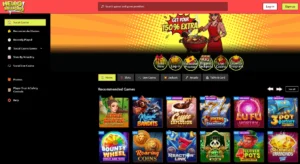
PWA is installed with the “Add to Home Screen” option in Chrome. It takes just three steps from the casino website to an icon on your phone. There are no Play Store listings or APK files to download.

Load Speed on Android

It takes just 3.2 seconds from tapping the home screen icon to launching the first playable game. Hello Millions clocked the fastest PWA load time during my test.

Google Play Availability

Google Pay is available at cashier with fast fingerprint authentication.

Game Quality on Android

Hello Millions keeps up strong frame rate and portrait optimization with perfect slot animations at full quality without any visual degradation.

Feature Completeness

Bonuses and bundle purchases are accessible through the PWA.

One Honest Note

This is the best example of a PWA performing better than a native app. If you’ve been hesitant to install PWAs because you thought they would work worse, Hello Millions will change your perspective.

Hello Millions in depth

NoLimitCoins – Reliable APK with Full Feature Parity

nolimitcoins-homepage

Installation Method

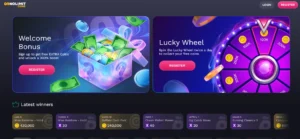
APK file is available for download at the official site and the link is clearly signposted on the mobile website. Installing the app requires enabling “unknown sources” from Chrome settings.

Load Speed on Android

Loading speeds were consistently around 4 seconds during my test.

Google Play Availability

Purchases can be made via Google Pay at the cashier and checkouts were fast with no redirect or session breaks.

Game Quality on Android

NoLimitCoins kept a good frame rate throughout my testing with clean portrait mode and accurate touch response.

Feature Completeness

The APK mirrored the web version on every feature, including daily bonus claims, cashier and redemption section. They are all accessible inside the app and you don’t need to switch to desktop play ever.

One Honest Note

APK apps don’t have auto updates, so you will have to check the casino website manually for new versions and install them the same way. Make a habit of checking once a week for an APK update.

Stake.us – Fastest Android Load in the Group

Casino Stake - Overview of Games and Promotions

Installation Method

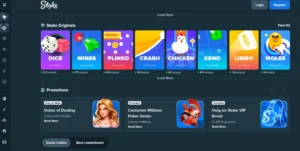
You can choose between and APK file from the official site or installing a PWA on the home screen.

Load Speed on Android

PWA loaded faster at 3.1 seconds, which was actually the fastest in this group of casinos.

Google Pay Availability

Google Pay is available on PWA and in the APK’s cashier section. It offers one-tap checkout with a fingerprint authentication and immediate SC crediting.

Game Quality on Android

Stake kept consistent frame rates on all its titles, including the more animation-heavy games. I had no layout issues on the 6.4 inch screen and it was obvious that the portrait mode is built to deliver even on mid-range Android devices.

Feature Completeness

All features are present on the PWA and APK with redemptions initiated and confirmed without leaving the app or mobile browser.

One Honest Note

Stake.us had the fastest PWA loading time and a perfect portrait optimization, so if you want a great mobile experience, pick a PWA, delivering the same performance as the APK file, but eliminating the installation process.

What I Learned After Testing Android Sweepstakes Casino Apps Fastest loading app

The best Android load I recorded was at Stake.us via its PWA at 3.1 seconds from home screen to the first playable game. Hello Millions was just behind at 3.2 seconds, also via PWA and this pattern is not a coincidence.

Best gameplay

High 5 Casini had best slot performance on Android with full frame rates across all titles, including some heavy bonus sequences, even on a mid-range device like mine. Portrait mode was optimized to fit everything on the small screen without cutting off any important parts of the layout.

Best navigation

PlayFame was the easiest to work around on a mobile phone and everything important for me like daily bonus, cashier and lobby were reachable within two taps. There were no buried menus or popups between screens to slow down the process.

Best Google Pay experience

The obvious Android-specific advantage in this category is Google Pay at McLuck. I just need to tap the icon in the cashier, authenticate with a fingerprint and SC credited inside three seconds. No other payment method on any platform matched this speed, although I tested all sweeps coins casinos offering Google Pay purchases. My tests showed that Google Pay on Android is faster than Apple Pay on iOS, since the fingerprint authentication is a bit quicker than Face ID.

Best PWA

Hello Millions offered the best PWA experience. Installation takes three steps from the Chrome browser and once you add the icon to the home screen, it behaves like a real app that consistently outperformed APK software. Picking between PWA and APK is not easy: there is less friction to install, performs equally well and there are no unknown sources permission required.

Biggest surprise

I was genuinely surprised that PWAs performed better than APK files consistently. The Chrome browser experience was competitive with dedicated apps on everything except push notifications. The assumption that a dedicated app is always better does not hold up for Android. If you want to check the full picture of sweepstakes casino options beyond mobile, take a look at the newly launched sweepstakes casinos on SweepsPulse.

Google Play Store Apps vs APK Downloads

A lot of Android sweepstakes casino guides neglect this, but the reality is that most sweepstakes casinos are not listed on Google Play and it’s important to understand why that is, and how it changes the approach installing them manually.

Why sweepstakes casinos are non on Google Play

Google has restrictions on real-money gambling apps in some categories. Sweepstakes casinos work with a no-purchase necessary model and are legal under US sweepstakes law, but still many do not clear Google Play’s approval criteria and are not allowed yet on their listings. That led to APK files uploaded on casinos’ websites and players can download and install the app manually. This is a standard distribution method, so as long as you download these files from the official domain, there is no risk for you or your device.

Google Play apps

Where a Play Store listing is present, installation is straightforward and updates happen automatically. Only two of the platforms I tested had legitimate Google Play listings and both were current, matching the web version on features. If there is an active Play Store listing and is actively maintained, it is the perfect installation scenario with auto updates that make it worth using over APK.

APK sideloading

Most sweepstakes casinos use this method to deliver their Android apps. I always stick to APK files directly from the official casino site and follow the steps to install it correctly. There are two main limitations, compared to a Play Store listing: no automatic updates and temporarily enabling “unknown sources” in the Android settings. This means that app updates need to be manually installed every few weeks and also an additional settings adjustment is required for the smooth installation. You can turn the “unknown sources” setting back on once the APK is installed.

APK safety check

I verify three things before installing my APK file. The most important is whether the download initiates from the casino’s official site or a redirect. I also check if the size matches what the site states and then look at the permissions requested during installation and how reasonable they are for a casino app.

Staying updated

APK apps have no automatic updates and installed versions can quickly fall behind the web version on game library, features and even some security patches. That’s why I check the casino website for a new APK version at least once a week to keep the app in check with the latest updates.

Native Android Apps vs Mobile Browser Casinos

FeatureGoogle Play AppAPKPWAChrome Browser
Installation frictionsLowMediumLowNone
Auto-updatesYesNoYesYes
Storage usedYesYesMinimalNo
Push notificationsYesYesLimitedNo
Google PayYesYesYesYes
Load speedFastVariableFastVariable
FeaturesFullFullFullSome limitations

The load speed gap between dedicated apps and Chrome was smaller than I expected. The average difference was under one second and for most players that gap doesn’t justify the extra effort of downloading APK files and dealing with installation frictions or manual updates afterward. The only thing that could change their mind is push notifications. They are especially useful for daily bonus resets and most native apps send reminders immediately so players don’t miss their free SC portion. If you play daily and want reminders when bonus resets, it may justify installing the APK over using mobile Chrome, but for everything else, mobile browser play with a home screen shortcut is a complete experience at most platforms.

How to Install a Sweepstakes Casino App on Android

Google Play

Step 1: Open Google Play and search the casino name.

Step 2: Confirm the developer name matches the casino’s official domain.

Step 3: Tap “Install” and wait for the download to complete.

Step 4: Open the app and log in or create your new account.

Step 5: Enable Google Pay in the cashier.

APK sideload

Step 1: Open the casino official site on Chrome

Step 2: Find the Android app download link and download the APK file

Step 3: Go to Settings and allow unknown sources to install on your device.

Step 4: Open the downloaded APK and install the file.

Step 5: Return to Settings and revert the unknown source permission for Chrome.

PWA

Step 1: Open Chrome and go to the casino website.

Step 2: Click the three-dot menu in the top right corner of the screen.

Step 3: Tap “Add to Home Screen” and confirm the name.

Step 4: The icon appears on your home screen and launches like a native app.

I always use secure Wi-Fi connection to install APK files and verify the domain before tapping “Install”. If you pick PWA, mobile data works fine.

Android Apps vs PWAs: Which Is Better?

Where APKs have an advantage

  • Push notifications are reliable via APK, while PWA notification support on Android varies by browser version
  • Older Android devices tend to favor installed apps over browser-based play
  • Some platform features like deep linking or payment flows sometimes work better in a native app

Where PWAs have the advantage

  • No need for sideloading and you can install directly from Chrome
  • Auto-updates without visiting the casino site
  • No storage used
  • No need to change your security permissions on your phone
  • PWA load speeds in testing were equal or faster than APKs

If I have to choose one option for my sweepstakes gaming, I’d go with PWAs, because they performed better during testing. The only reason to pick an APK over PWA is the push notification reliability. If a platform offers both, try PWA first. You can always install the APK later if push notifications are important.

Mobile Features That Matter Most on Android

Google Pay

This is one of the most important features for Android users, since it is the native payment platform for Google and all of the fastest-paying casinos use it, because of the quick one-tap purchase with fingerprint authentication. It was available in most of the platforms I tested in both installed apps and Chrome. Google Pay is Chrome-native, so you can use it even if you don’t have a dedicated app installed.

Biometric login

Almost all casinos I tested accepted fingerprint login and authentication. It is the fastest way to get in, regardless if you use an app or a PWA. Face unlock was also available, but only at three casinos, where they allowed fingerprint entry, too.

Push notifications

They are very useful for daily bonus alerts and promotional offers, which is why most players choose to install native apps or APK files. PWAs could also feature them, but with limitations. PlayFame Casino had the most reliable notifications in testing. If you want to get the most out of your daily bonuses, see the casino daily bonus guide

Home screen shortcuts

Chrome’s “Add to Home Screen” option creates a shortcut for browser-based platforms without PWAs. It opens the site just like a dedicated app without the address bar on top. The only limitation is push notifications, which require separate PWA or installed app.

App updates

Google Play apps and PWAs update automatically, but APKs do not. This is the main difference between the installation methods for regular players, because an outdated APK can lag the web version on game library additions and feature updates. Always check the casino website before each session if you play on an APK-installed app.

FAQ 

Do Android casino apps send bonus and promotion notifications?

Native APK apps and some PWAs send push notifications for daily bonus resets and different promotions, but Chrome browser play does not support that feature. Five of the casinos I tested delivered bonus reset notifications via the installed app or PWA and PlayFame was the most reliable out of all of them.


subscribe-us
Sign Up for the Hottest Sweepstakes Casino Deals

Unlock FREE, Exclusive Bonuses delivered straight to you – only from SweepsPulse.

This website requires you to be 21 years or older to enter

0